Articles by "PC"
Showing posts with label PC. Show all posts
iCare Data recovery is the best recovery software ever released ( in my own personal experience ). All others are a bunch of crap, total waste of time. This Data recovery software gives you 100% satisfaction.

It can recover permanently deleted/erased files, like photos, audios, documents, vedios and much more.

We are providing you the pro edition of this amazing data recovery software for free

 check the link given below

                                  <<CLICK HERE>>


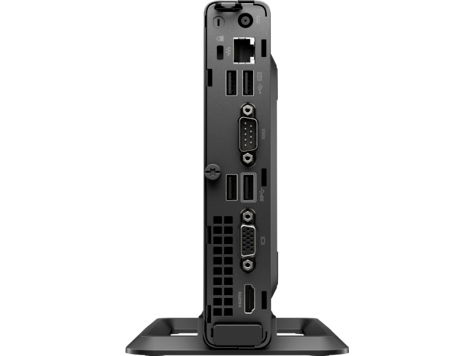
HP India recently introduced a mini desktop with a price tag Rs 19,990 to make a everything minimal, this mini desktop will save space and give the performance you need .


This product mainly focus on the use of technology for learning among students across India. The affordable mini desktop has been launched for for a price starting Rs 19990 for the Pentium Dual-Core 18.5-inch model.
                     
                            The Desktop comes with windows 10 pro installed on it and is powered by 7th Gen Intel i3 core processor. Due to its small size we can easily carry it from one place to another.

"The new HP 260 G3 mini desktop designed primarily for the Indian education ecosystem, the affordability of these desktops will enable schools and institutions to set up or upgrade the computers in their Science Technology, Engineering and Mathematics (STEM) labs at a minimal cost"-the company said in a statement. "These devices will help students enhance their science and technology and creativity,"- HP added

System features

Operating system
     Windows 10 Pro 64 - HP recommends Windows 10 Pro
     Windows 10 Pro 64 (National Academic only)
     Windows 10 Home 64
     Windows 10 Home Single Language 64
     FreeDOS 2.0

Processor family
     Intel Celetron Processor(3865U is windows 10 only)
     7th Generation Intel Core i5 processor (i5-7500U)
     7th Generation Intel Core i3 processor (i3-7130U)
      Intel Pentium processor(4415U is windows 10 only)

RAM
     Expandable upto 32GB DDR4

Display and Graphics 
     Intel HD Graphics 610
     Intel HD Graphics 620


We  always get a warning message when we pull out the pen-drive carelessly
 :> " Disk not ejected properly ".
 -when we wait for a 30 extra seconds that will safe our data's as well.-
ejecting a pen-drive
Do we really need to eject the drive in the actual way ?

we all are in hurry, in this busy life we doesn't like to obey the rules. we do everything in our way. When we check out whether it is necessary to eject the drives in the actual manner.
  • YES WE REALLY WANT TO EJECT IT SAFELY.
Because when we move or copy a file in to a drive. your system may use something called Write cache. Instead of transfering the file system really use this write cache to make more efficient the transfer. This cache is just local memory storage . A Mac’s operating system always uses this write cache, but on a Windows operating system, the user can decide whether to enable it or not; the default is that the write cache is off.

                  The first possibility is that the file you were copying to the USB drive gets corrupted (although chances are the original file on your computer would still be okay). After that, there’s the chance that another file on that pen drive gets corrupted, too. The biggest problem would be if you were to corrupt the USB drive itself—the file system metadata could be ruined,( meaning the drive wouldn’t know where things are stored )

In the final conclusion we say that its necessary to properly eject or drive properly


Proshow Gold


The simplest slideshow maker ever.You can create awesome video slideshows with Proshow gold.You can add photos, videos , musics ,texts , with more than 950 built in effects. You can easily do your work with the wizard( choose efficiently and automatically )with a few clicks, we can customize it with just drag and drop,you can add photos from your pc and also import from picasa, flickr, instagram and more.Edit photos and videos without any other software( crop,auto-correct,red-eye removal,trim videos. You can also customize the motion effects of the captions, well that's a cool feature right


                  System requirements

Minimum requirements:-

  • Windows vista, 7,8,10 (windows RT and WIndows S not supported)
  • 1024 x 768 display
  • 1GHz+ processor or better
  • 2GB system memory (RAM) 
  • Accelerated 3D Graphics - 64MB ram
  • DirectX 8.0 or better
  • DVD+R/RW/-R/RW writer
  • Active internet connection
64-bit installations are supported,although Proshow is not a 64-bit applications so it will not take full advantage of a 64-bit platform.

Recommended requirements:-

  • Windows 7,8,10
  • 1920 x 1080 display
  • 2Ghz,Dual-core processor or better
  • 8 GB system memory
  • Accelerated 3D graphics - 512 ram or higher
  • DirectX 9.0 or better
  • Active internet connection

Download the latest proshow gold(9.0.3771 + Activator)

download the setup+crack from here >>>>click here<<<<

instructions:-

  1. download the file from the link above
  2. extract it with 7zip or winrar or other software
  3. it will ask for password,the password is: t4technow 
  4. more instructions are in that file
  5. when you are using a smartphone to access this file please open the link in new tab or it will be open with the google drive app installed in your smartphone

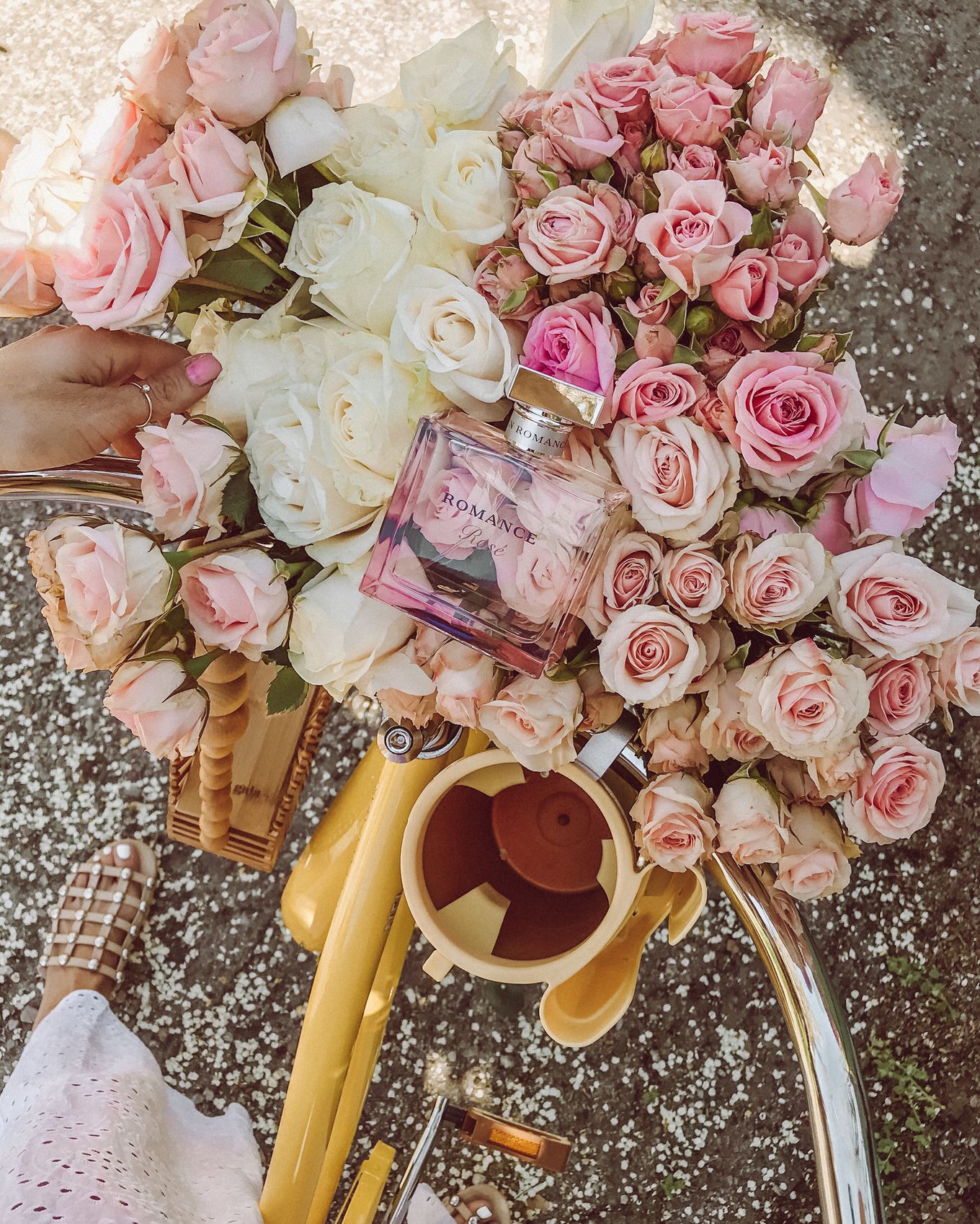
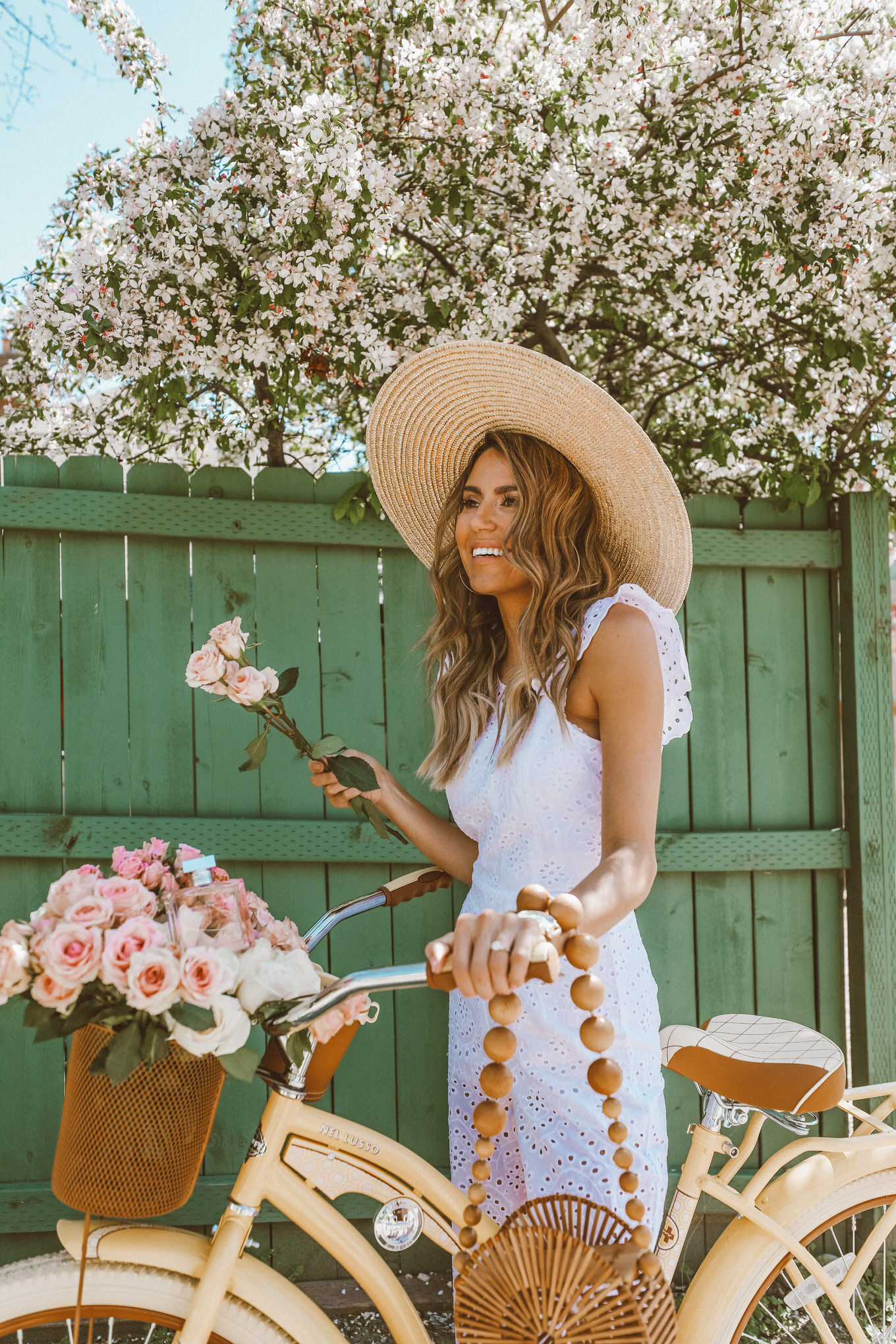
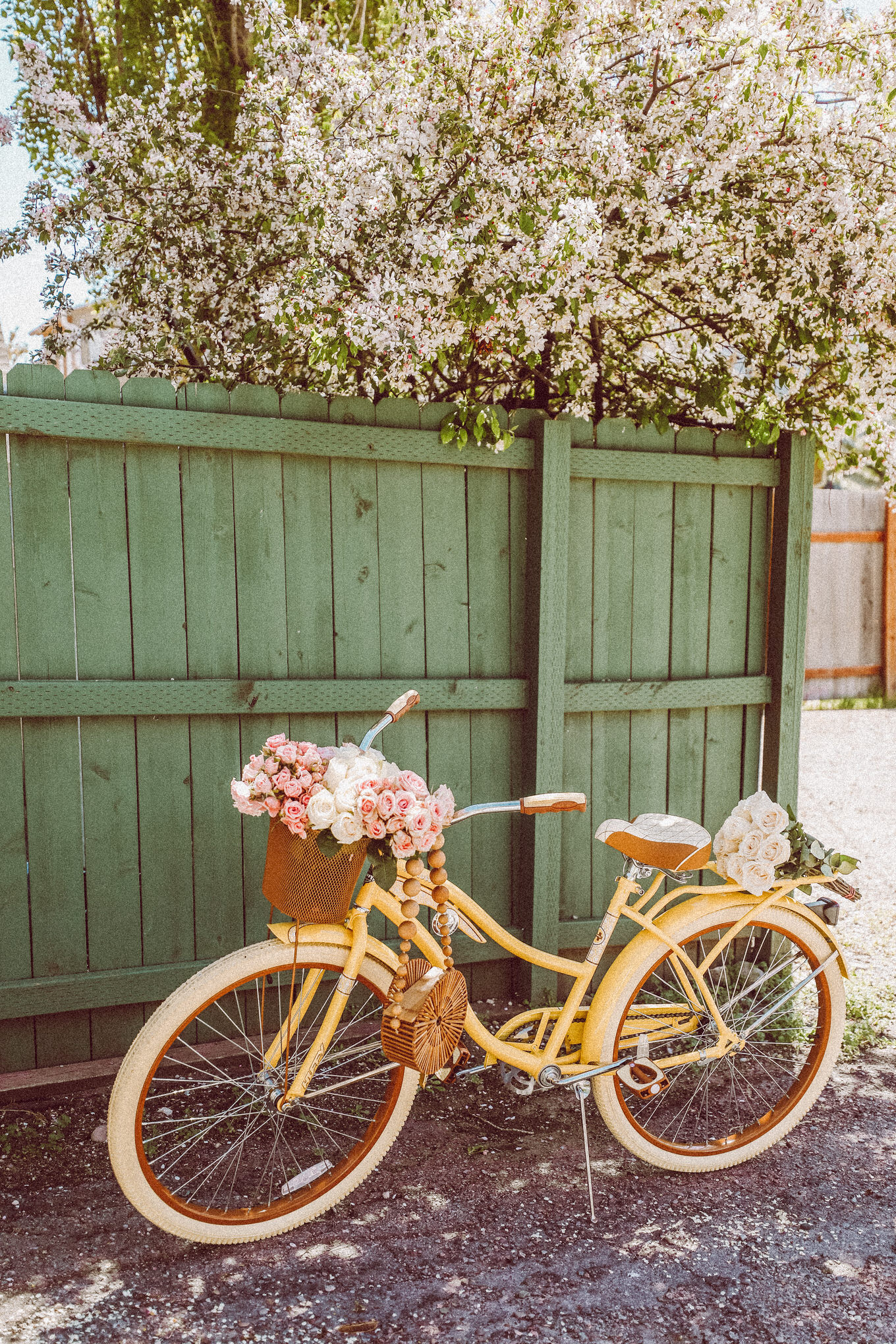
DETAILS: 1. EYELET JUMPSUIT (UNDER $100)| 2. STRAW HAT | 3. SANDALS (SOLD OUT – SIMILAR HERE)| 4. BAMBOO BAG (SIMILAR HERE – UNDER $50!) | 5. WATCH | 6. EARRINGS (UNDER $5!)| 7. BEACH CRUISER BIKE
Hi guys! We were supposed to head to California this weekend but last minute had to cancel and I’m so bummed I was so ready for the beach!! These pictures were from last weekend when the weather was so nice! I got Beckam a bike for his birthday and he loves it so much. We go out so he can ride every night its warm enough, so I decided I needed one so I could ride with him! I’m so obsessed with this one and it comes in other cute pastel colors too!! I feel like it would be a perfect mothers day gift, which speaking of, I’m working on getting a whole gift guide up for you guys for some mothers day inspiration! It’s coming up soon, so don’t forget to start thinking of how you’re going to spoil your mom this year! Have a great weekend!!

Multi-tasking is a big part of our digital lives, in fact, our lives in general. Doing various tasks at once can improve our productivity and gets things done faster. So, whatever be the operating system, you should be aware of the multitasking features it offers to its users and eases their everyday experience.

When we are talking about Windows 10, you can feel happy that there are a plethora of Windows 10 multitasking tips and tricks to improve your productivity. People tend to discover them now and then.
These multitasking features in Windows 10 range from simple Windows keyboard shortcuts and all the way to modern virtual desktop experiences. In this post, I would like to tell you some Windows 10 multitasking tips and tricks which I have known.

Windows 10 Multitasking – 10 Easy tips and tricks

1. Use Windows touchpad gestures – 11 ways to use your fingers

One thing I like a lot in Apple MacBooks is the variety of touchpad gestures offered by macOS. Microsoft has also started offering touchpad gestures other than pinch-to-zoom and two finger scroll. You might have heard about Precision Touchpads which the company has been promoting for a while.
On Windows 10, you can take advantage of the following touchpad gestures for multitasking:
Gesture Description
Single tap Select an item or open link.
Two-finger tap Open context menu (right-click).
Two-finger vertical scroll Move up or down in web pages, apps, and Files Explorer.
Two-finger horizontal scroll Move right or left in web pages, apps, and File Explorer.
Two-finger pinch Make a pinching gesture to zoom in and zoom out.
Three-finger horizontal swipe Switch between active apps.
Three-finger vertical swipe up Opens Task View to see open apps.
Three-finger vertical swipe down Show desktop. Swipe up again to hide the desktop. In other words, it can be used to minimize or maximize apps.
Three-finger tap Open Cortana in listening mode.
Four-finger horizontal swipe Switch between virtual desktops.
Four-finger tap Opens Action Center.

2. Use virtual desktop

People who have to deal with a lot of open apps can take advantage of the virtual desktop feature in Windows 10. You can unclutter the taskbar on the desktop and organize open apps across multiple desktops according to your needs.

You can access the Virtual Desktop interface by clicking the Task View button in the Windows 10 Taskbar (next to Cortana). You can click Add Desktop in the bottom right corner to a new virtual desktop.
As mentioned above, switching between virtual desktops in Windows 10 is as simple as a four-finger swipe. Swipe up with three fingers to see the Task View screen where you can close apps and delete virtual desktops. You can also move apps between virtual desktops by dragging them.
Here are some virtual desktop keyboard shortcuts:
Keyboard Shortcut Description
Windows + Tab Open Task View to manage virtual desktops.
Windows + CTRL + D Add a new virtual desktop.
Windows + CTRL + Right (or Left) Switch between virtual desktops.
Windows + Ctrl + F4 Close an active virtual desktop.

3. Use an extra monitor with your PC

Adding a second monitor to your computer can increase your productivity a lot, there is no doubt about that. With the aid of the HDMI or some other interface, most external monitors come with plug-and-play support. You can use the second monitor as an extension of your primary screen or duplicate your desktop to see things on a bigger screen.
When connected to a second screen, use the Windows + P keyboard shortcut to change the display mode. Various options to manage multiple screens in Windows 10 are present in  Settings > System > Display. There you can choose which display you want to keep as primary, change screen resolution, and other things.

4. Shake shake minimize

One good thing to add to your Windows 10 multitasking tips and tricks arsenal is this simple trick. If you want to minimize all the apps except one, click and hold the title bar of that app and shake it. Do the same to maximize the apps.

5. Mouse-powered Windows 10 multitasking

A couple of settings associated with the mouse and keyboard can improve your Windows 10 multitasking experience. Go to Settings > Devices > Mouse.

There, turn on the toggle that says “Scroll inactive windows when I hover over them.” it saves time when you work with multiple windows at the same time as you don’t have to click it to enable scrolling.

6. Oh! Snap – Windows 10 split screen

Snapping apps in Windows 10 is like a daily routine for multitaskers. There many ways in which you can snap a window.

Hold an app window by its title bar and drag it to the right or left edge of the screen. The app will resize to cover half of the screen area. Next, the Snap Assist feature suggests the active apps to fill the rest of the screen.
You can also drag window to one of the corners, so it covers a quarter of the screen area. This allows you to work with up to four apps on your screen. You might face some inconvenience when snapping apps on a dual monitor setup because the two displays share a common edge.
Various options related to snapping windows can be found in Settings > System > Multitasking.

7. Snap windows using the keyboard

You can also take the help of the keyboard to snap Windows according to your needs. Use the keyboard shortcut Windows + Right Arrow to snap a window to the right and  Windows + Left Arrow to snap a window to the left. Try various arrow key combinations to explore more snaps.

8. Open a new instance or window of an app

There are more you can do with your mouse in Windows 10. When you’re running a web browser and want to open a new browser window, you can simply do it by clicking its taskbar icon with the scroll wheel of your mouse.
If you don’t have a mouse, you can do the same by pressing the Shift key and click the app’s icon in the taskbar.
Similarly, you can open a new instance of an app in Windows 10 (if the app supports it). For instance, you can open another File Explorer window.

9. Use Action Center to toggle quick settings


If you’re using Windows 10 for a long time, then you might be familiar with the quick actions of the Action Center. These options let you quickly turn on and off Bluetooth, WiFi, and many other Windows features. Otherwise, digging deep through the Settings app would consume a lot of your time.
You can rearrange the quick actions by visiting Settings > System > Notifications & actions. For more interesting stuff, read our detailed post on Action Center.

10. Highly useful Windows keyboard shortcuts for multitasking

For years, keyboard shortcuts have been the most basic aspect of Windows 10 multitasking. For instance, you can create custom keyboard shortcuts to open your favorite apps quickly.
Refer the following list of keyboard shortcuts to perform different tasks such as minimizing and quickly jumping between apps on your desktop:
Keyboard Shortcut Description
Windows Key or CTRL + Esc Opens Start Menu.
Windows + A Opens Actions Center.
Windows + E Opens File Explorer.
Windows + D Show or hide the desktop.
Windows + I Opens Settings app.
Windows + L Lock PC.
Windows + S Opens Windows Search.
CTRL + SHIFT + Esc Opens Task Manager.
Windows + Down Arrow “Make an active window a floating window. While holding the Win key, press Down again to minimize it.”
Windows + Up Arrow Maximize a minimized active window.
Windows + Tab Opens Task View.
Windows + Home Minimize all non-active windows.
So, there were some Windows 10 multitasking tips and tricks you can use to increase your work efficiency. If you find any suggestions to make, please drop them in the comments.
Every year, Stack Overflow conducts its developer survey and shares the results with the public for analysis.  Expanding the teritory, this year over 100,000 developers took part in the 30-minutes survey  and told how they learn about new technologies, which tools they use to get the job done, and what they look for while hunting some job.

Today we will be sharing the different findings of the survey about the platforms that were most commonly used by developers over the past years.

Developers Favorite Platform

When we look at this year's data, we can notice that 48.3%  developers responded with linux as the platform they have done development work for this year. It was followed by Windows Desktop & Servers with 35.4%.

The platform that follows these top two are Android, AWS, macOS, Raspberry Pi, Wordpress, and iOS.

Now you shouldn't confuse the most popular coding platform with the operating  systems preferred by developers. Where Windows still got the  heads up with about 50% of the entire share. The rest half is divided uniformly between macOS and Linux


Linux also topped the list of the most loved platforms to work for, followed by serverless infrastructure and AWS


image source:- stack-overflow

If you like to recieve instant updates follow us @ you favorite places


we prefer 7Zip as the best extracting software out there for windows. Don't have it yet???. never mind we got your back.❤❤

4 downloading 7Zip click  here   

→→→  DOWNLOAD 7ZIP  ←←←

Chapter 1

The rest of his body was so streaked, and spotted, and marbled with the same shrouded hue, that, in the end, he had gained his distinctive appellation of the White Whale; a name, indeed, literally justified by his vivid aspect, when seen gliding at high noon through a dark blue sea, leaving a milky-way wake of creamy foam, all spangled with golden gleamings.

Nor was it his unwonted magnitude, nor his remarkable hue, nor yet his deformed lower jaw, that so much invested the whale with natural terror, as that unexampled, intelligent malignity which, according to specific accounts, he had over and over again evinced in his assaults. More than all, his treacherous retreats struck more of dismay than perhaps aught else. For, when swimming before his exulting pursuers, with every apparent symptom of alarm, he had several times been known to turn round suddenly, and, bearing down upon them, either stave their boats to splinters, or drive them back in consternation to their ship.

Already several fatalities had attended his chaseAlready several fatalities had attended his chase. But though similar disasters, however little bruited ashore, were by no means unusual in the fishery; yet, in most instances, such seemed the White Whale's infernal aforethought of ferocity, that every dismembering or death that he caused, was not wholly regarded as having been inflicted by an unintelligent agent.

Judge, then, to what pitches of inflamed, distracted fury the minds of his more desperate hunters were impelled, when amid the chips of chewed boats, and the sinking limbs of torn comrades, they swam out of the white curds of the whale's direful wrath into the serene, exasperating sunlight, that smiled on, as if at a birth or a bridal.
[next]

Chapter 2

His three boats stove around him, and oars and men both whirling in the eddies; one captain, seizing the line-knife from his broken prow, had dashed at the whale, as an Arkansas duellist at his foe, blindly seeking with a six inch blade to reach the fathom-deep life of the whale. That captain was Ahab. And then it was, that suddenly sweeping his sickle-shaped lower jaw beneath him, Moby Dick had reaped away Ahab's leg, as a mower a blade of grass in the field. No turbaned Turk, no hired Venetian or Malay, could have smote him with more seeming malice. Small reason was there to doubt, then, that ever since that almost fatal encounter, Ahab had cherished a wild vindictiveness against the whale, all the more fell for that in his frantic morbidness he at last came to identify with him, not only all his bodily woes, but all his intellectual and spiritual exasperations. The White Whale swam before him as the monomaniac incarnation of all those malicious agencies which some deep men feel eating in them, till they are left living on with half a heart and half a lung. That intangible malignity which has been from the beginning; to whose dominion even the modern Christians ascribe one-half of the worlds; which the ancient Ophites of the east reverenced in their statue devil;—Ahab did not fall down and worship it like them; but deliriously transferring its idea to the abhorred white whale, he pitted himself, all mutilated, against it. All that most maddens and torments; all that stirs up the lees of things; all truth with malice in it; all that cracks the sinews and cakes the brain; all the subtle demonisms of life and thought; all evil, to crazy Ahab, were visibly personified, and made practically assailable in Moby Dick. He piled upon the whale's white hump the sum of all the general rage and hate felt by his whole race from Adam down; and then, as if his chest had been a mortar, he burst his hot heart's shell upon it.

It is not probable that this monomania in him took its instant rise at the precise time of his bodily dismembermentIt is not probable that this monomania in him took its instant rise at the precise time of his bodily dismemberment. Then, in darting at the monster, knife in hand, he had but given loose to a sudden, passionate, corporal animosity; and when he received the stroke that tore him, he probably but felt the agonizing bodily laceration, but nothing more. Yet, when by this collision forced to turn towards home, and for long months of days and weeks, Ahab and anguish lay stretched together in one hammock, rounding in mid winter that dreary, howling Patagonian Cape; then it was, that his torn body and gashed soul bled into one another; and so interfusing, made him mad. That it was only then, on the homeward voyage, after the encounter, that the final monomania seized him, seems all but certain from the fact that, at intervals during the passage, he was a raving lunatic; and, though unlimbed of a leg, yet such vital strength yet lurked in his Egyptian chest, and was moreover intensified by his delirium, that his mates were forced to lace him fast, even there, as he sailed, raving in his hammock. In a strait-jacket, he swung to the mad rockings of the gales. And, when running into more sufferable latitudes, the ship, with mild stun'sails spread, floated across the tranquil tropics, and, to all appearances, the old man's delirium seemed left behind him with the Cape Horn swells, and he came forth from his dark den into the blessed light and air; even then, when he bore that firm, collected front, however pale, and issued his calm orders once again; and his mates thanked God the direful madness was now gone; even then, Ahab, in his hidden self, raved on. Human madness is oftentimes a cunning and most feline thing. When you think it fled, it may have but become transfigured into some still subtler form. Ahab's full lunacy subsided not, but deepeningly contracted; like the unabated Hudson, when that noble Northman flows narrowly, but unfathomably through the Highland gorge. But, as in his narrow-flowing monomania, not one jot of Ahab's broad madness had been left behind; so in that broad madness, not one jot of his great natural intellect had perished. That before living agent, now became the living instrument. If such a furious trope may stand, his special lunacy stormed his general sanity, and carried it, and turned all its concentred cannon upon its own mad mark; so that far from having lost his strength, Ahab, to that one end, did now possess a thousand fold more potency than ever he had sanely brought to bear upon any one reasonable object.
[next]

Chapter 3

At the period of our arrival at the Island, the heaviest storage of the Pequod had been almost completed; comprising her beef, bread, water, fuel, and iron hoops and staves. But, as before hinted, for some time there was a continual fetching and carrying on board of divers odds and ends of things, both large and small.

Chief among those who did this fetching and carrying was Captain Bildad's sister, a lean old lady of a most determined and indefatigable spirit, but withal very kindhearted, who seemed resolved that, if SHE could help it, nothing should be found wanting in the Pequod, after once fairly getting to sea. At one time she would come on board with a jar of pickles for the steward's pantry; another time with a bunch of quills for the chief mate's desk, where he kept his log; a third time with a roll of flannel for the small of some one's rheumatic back. Never did any woman better deserve her name, which was Charity—Aunt Charity, as everybody called her. And like a sister of charity did this charitable Aunt Charity bustle about hither and thither, ready to turn her hand and heart to anything that promised to yield safety, comfort, and consolation to all on board a ship in which her beloved brother Bildad was concerned, and in which she herself owned a score or two of well-saved dollars.

But it was startling to see this excellent hearted Quakeress coming on boardBut it was startling to see this excellent hearted Quakeress coming on board, as she did the last day, with a long oil-ladle in one hand, and a still longer whaling lance in the other. Nor was Bildad himself nor Captain Peleg at all backward. As for Bildad, he carried about with him a long list of the articles needed, and at every fresh arrival, down went his mark opposite that article upon the paper. Every once in a while Peleg came hobbling out of his whalebone den, roaring at the men down the hatchways, roaring up to the riggers at the mast-head, and then concluded by roaring back into his wigwam.
[next]

Chapter 4

In a few minutes there was, so far as the soldier could see, not a living thing left upon the common, and every bush and tree upon it that was not already a blackened skeleton was burning. The hussars had been on the road beyond the curvature of the ground, and he saw nothing of them. He heard the Martians rattle for a time and then become still. The giant saved Woking station and its cluster of houses until the last; then in a moment the Heat-Ray was brought to bear, and the town became a heap of fiery ruins. Then the Thing shut off the Heat-Ray, and turning its back upon the artilleryman, began to waddle away towards the smouldering pine woods that sheltered the second cylinder. As it did so a second glittering Titan built itself up out of the pit.

The second monster followed the first, and at that the artilleryman began to crawl very cautiously across the hot heather ash towards Horsell. He managed to get alive into the ditch by the side of the road, and so escaped to Woking. There his story became ejaculatory. The place was impassable. It seems there were a few people alive there, frantic for the most part and many burned and scalded. He was turned aside by the fire, and hid among some almost scorching heaps of broken wall as one of the Martian giants returned. He saw this one pursue a man, catch him up in one of its steely tentacles, and knock his head against the trunk of a pine tree. At last, after nightfall, the artilleryman made a rush for it and got over the railway embankment.

Since then he had been skulking along towards Maybury, in the hope of getting out of danger Londonward. People were hiding in trenches and cellars, and many of the survivors had made off towards Woking village and Send. He had been consumed with thirst until he found one of the water mains near the railway arch smashed, and the water bubbling out like a spring upon the road.

That was the story I got from him, bit by bitThat was the story I got from him, bit by bit. He grew calmer telling me and trying to make me see the things he had seen. He had eaten no food since midday, he told me early in his narrative, and I found some mutton and bread in the pantry and brought it into the room. We lit no lamp for fear of attracting the Martians, and ever and again our hands would touch upon bread or meat. As he talked, things about us came darkly out of the darkness, and the trampled bushes and broken rose trees outside the window grew distinct. It would seem that a number of men or animals had rushed across the lawn. I began to see his face, blackened and haggard, as no doubt mine was also.
[next]

Chapter 5

It seemed to me that the pit had been enlargedWhen we had finished eating we went softly upstairs to my study, and I looked again out of the open window. In one night the valley had become a valley of ashes. The fires had dwindled now. Where flames had been there were now streamers of smoke; but the countless ruins of shattered and gutted houses and blasted and blackened trees that the night had hidden stood out now gaunt and terrible in the pitiless light of dawn. Yet here and there some object had had the luck to escape--a white railway signal here, the end of a greenhouse there, white and fresh amid the wreckage. Never before in the history of warfare had destruction been so indiscriminate and so universal. And shining with the growing light of the east, three of the metallic giants stood about the pit, their cowls rotating as though they were surveying the desolation they had made.

It seemed to me that the pit had been enlarged, and ever and again puffs of vivid green vapour streamed up and out of it towards the brightening dawn--streamed up, whirled, broke, and vanished.

Beyond were the pillars of fire about Chobham. They became pillars of bloodshot smoke at the first touch of day.

As the dawn grew brighter we withdrew from the window from which we had watched the Martians, and went very quietly downstairs.

The enormous broad tires of the chariots and the padded feet of the animals brought forth no sound from the moss-covered sea bottom; and so we moved in utter silence, like some huge phantasmagoria, except when the stillness was broken by the guttural growling of a goaded zitidar, or the squealing of fighting thoats. The green Martians converse but little, and then usually in monosyllables, low and like the faint rumbling of distant thunder.

[img featured="1" src="https://blogger.googleusercontent.com/img/b/R29vZ2xl/AVvXsEhCWW6vYo7Gs3ycSE74kTl3hE8wsSKN_QrFmjLYsbNW13LgFseRrt8erVOM3jVxlXq7u1ILk4HCkUZ1Ri0cCRkw8DmcH3Kg0Icplvir-BWabqIW2XPkeAGRf__Wh5XGm6TiTF8AK5odlWA/s1600/foods_2.jpg"/]
[youtube featured="1" src="ELUn_L_a8aY"/] 
[img featured="1" src="https://blogger.googleusercontent.com/img/b/R29vZ2xl/AVvXsEilvV2VtKL2GwnMy0IiwtTedeivImfAavlPGjLNQtazCLRlz51cqM03rlEw_Peb9qJWcuWH_MCVmKj188bIoqXQbRrBsCiReXtbd9t92Y00xg1Daxs9WMMseyZ5ojU6pdfNGjPYVs16iak/s1600/city_4.jpg"/]
[img featured="1" src="https://blogger.googleusercontent.com/img/b/R29vZ2xl/AVvXsEg8W_5JkdSuyP8dWGy110Xs8ozgeZvgq40m6dYCZgncil-sPctmWeGdsr__UtUo2II_CBdji6SSwUjHG5MLe-Up3chaVZDphd7OfuUJX1bsFGMUVpx_GomYB4WjO02lqpQ7gP1oLSOGfurs/s1600/Night+City+Glow+Wallpapers+6.jpg"/]